Network Attached Storage
A Look At NAS From A Small Business Viewpoint
Small businesses operating in today’s hyper-competitive business environment cannot be faulted for being highly selective when implementing new technologies or infrastructure into their computing environment. Larger businesses and organizations have the reality of scale and of a business reliance on truly mission-critical systems to help drive the push for continuing investment and optimization of information technologies in their environment. Small businesses, however, must remain in much more of a perpetual “show-me” mode, in order to ensure that they are burnt by a sudden change in technology vendors or implementations. At the same time, data is rapidly becoming the lifeblood of even the smallest of businesses, particularly those doing sizeable business on the Internet, through the acquisition of contact lists, customer databases, e-commerce sales, or internal application data. Consequently, it is important the data used in all these scenarios is protected and available in a cost-effective fashion. Large corporations rely on extremely large-scale storage area networks (SANs) for managing massive data storage capacity and data access performance requirements but these capabilities come at a very high cost – a cost that is out of reach for nearly all small businesses. Enter network attached storage (NAS), which offers some of the benefits of SANs at a fraction of the cost for small businesses.
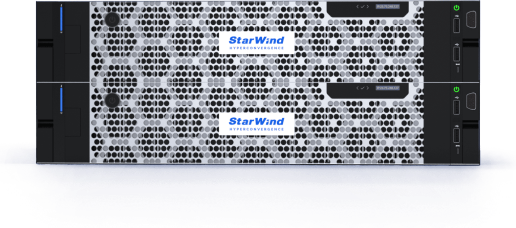
Originally brought to market by Novell in 1983, Network Attached Storage (NAS) was a popular file-sharing protocol in order to allow network servers to share storage space with client systems on the network. (3Com introduce the first dedicated NAS device in 1985.) Today, NAS devices are available from a large number of vendors and these devices are essentially dedicated servers (typically running the Linux operating system) whose specific mission in life is to host and maintain an underlying array of disk drives. Like a typical server, NAS devices including CPUs, memory, and some sort of case which can vary depending on the target market of the device itself…corporations tend to opt for NAS devices that can be rack-mounted and that are more energy efficient whereas home users often select more basic standalone units. NAS devices can be connected through a number of network interfaces, including iSCSI, network Ethernet connections, Wi-Fi, or USB2 (with USB2 being by far the slowest of these options).
NAS systems can be configured to support any number of popular file systems including Sun’s NFS (Network File System), Multi Protocol File System (MPFS), and the Common Internet File System/Server Message Block (CIFS/SMB) file system. All of these file systems are accessible today from popular commercial operating systems such as Windows, Linux, and Mac OS. The performance of a NAS system depends on a large number of factors, including the overall capacity and throughput of the device, the network infrastructure supporting the connections of the clients into the NAS, the frequency and type of data being read from and written to the disks, and the overall user load on the system.
The type of Network Attached Storage system needed by your business depends, in large part, on how you plan to utilize the device in your environment. Before deciding that, it is important to understand some configuration basics that can affect the performance and overall perceived benefit of the system. For starters, the fact that a NAS is being considered probably means that a not insignificant amount of data is being read/written on the NAS so optimal network connectivity into the device is a must. 1Gbps connections are most popular (although some NAS will support access via 802.11b/Wi-Fi, the throughput of such a configuration pales in comparison to a 1Gbps connection). Those looking for protection and security of their data in the form of data replication or backup often opt for one of the RAID configurations. RAID 0 is a common configuration used to store data across multiple drives but it should be noted that it includes no data redundancy, although it can offer performance and failover benefits. The total amount of available storage space is based on the RAID configuration you’re using (most vendors often provide capacity estimates based on RAID 0) so take that into account when sizing your device.
NAS systems are commonly used in server, workgroup, and backup scenarios for a variety of reasons. NAS is popular as a server storage solution because it allows a cluster of drives to be managed and accessed as a single storage infrastructure from a variety of applications and servers, no matter the operating system or application software involved. As a workgroup solution, NAS allows members of the workgroup to have a common, managed place on the network to store important business files and documents. From a backup standpoint, NAS devices also are superior in many ways from tape backup systems, in that they offer much higher backup/restore performance and aren’t nearly as fragile as individual tapes.
No matter your specific business requirements, if you are not currently relying on Network Attached Storage, or NAS, for your business networked storage needs, it is something that should be considered due to the variety of capabilities and advantages mentioned in this article. NAS solutions allow your storage environment to scale with your business, an important requirement in today’s information technology environment.
Learn more about Network Attached Storage:
| Live demo | Free 30-day trial | How to buy | ||
|---|---|---|---|---|
| Request now | ![]() |
Download free trial | ![]() |
Request a quote |


IT Projects